Smart Triage, AI
Snags and defects, read before the kettle's boiled.
Emailed snag lists read onto the right plot, photos described, duplicates flagged.

 2 new
2 new  Plot 42, Willow GrangeHanded over 14 May Extracted from email
  Shower grout crackedEn-suite, Tiling Snag
  Socket faceplate looseBedroom 2, Electrical Snag
 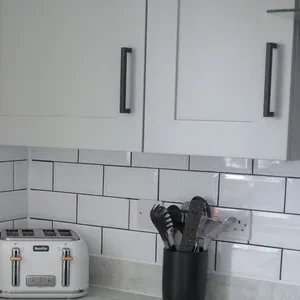 Wall unit door misalignedKitchen, Joinery Snag
 Smart Triage reads emailed snag lists and defect reports onto the right plot, with location and category set. It pulls out every photo and describes what it shows, and flags duplicates. Your team accepts each item, then Auto-Assign sends it to the right contractor.
-
Nothing retyped
Every item goes onto the right plot, room and trade from the email itself.
-
Photos that explain themselves
Each photo is pulled onto the record and described in plain words.
-
No double visits
Duplicates are flagged before a contractor is ever sent.
In the platform
Every report, ready to accept.

How it works
-
The report arrives
PDF, spreadsheet or the email itself, photos included.
-
Smart Triage reads it
Items, rooms, trades and photos go onto the plot, described and checked for duplicates.
-
Your team accepts
A person checks each item, then Auto-Assign routes the job.
Questions
Questions people ask
Built for customer care teams, aftercare managers, site managers and principal contractors.
Does Smart Triage assign work on its own?
No. A person reviews and accepts each item. Once accepted, Auto-Assign sends it to the right contractor.
What does it do with photos?
It pulls every photo onto the record and reads it together with the description, room and plot, then describes what it shows. Your team sees the original email alongside it.
What happens to duplicates?
Smart Triage flags items that already exist on the plot, so the same issue is not raised twice.
You might also like
All featuresLast updated:
let's have a proper look.
Thirty minutes looking at Ubrix through your own developments, or a quick chat first if you'd rather.
Prefer the phone? 0191 716 6373 info@ubrix.co.uk